
Download Facebook Gaming – Free Game Streaming, Live Events, and Community
Overview: What Is Facebook Gaming?
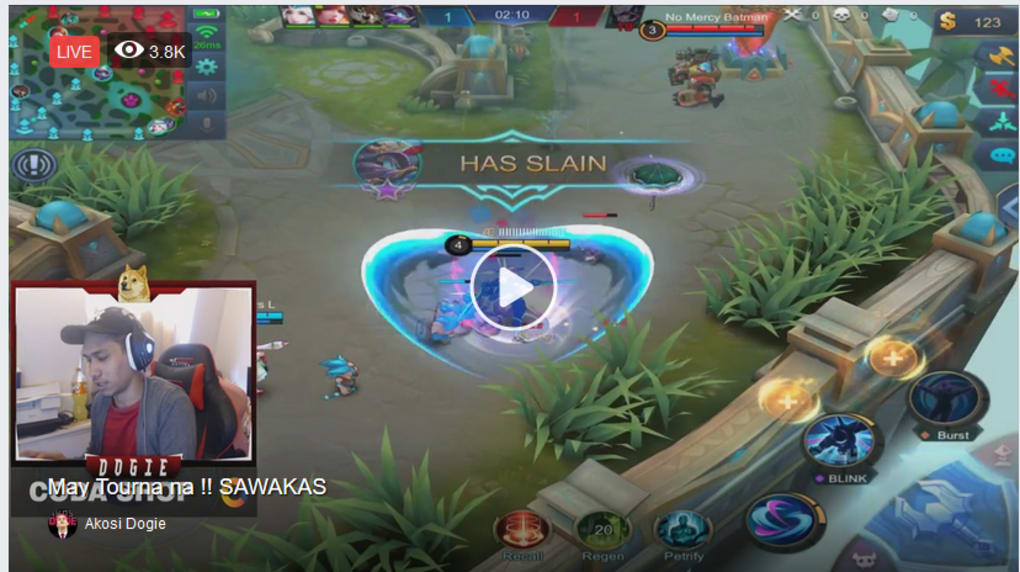
Facebook Gaming is Facebook’s dedicated hub for live video streams, highlights, and community interaction around video games. Launched as a direct competitor to Twitch and YouTube Gaming, the platform aggregates content from a massive global audience, letting you watch everything from high‑octane esports tournaments to casual play‑throughs. The service is completely free, and because it lives inside the familiar Facebook ecosystem, you can use your existing profile to follow creators, join chat rooms, and even donate or subscribe without creating a new account. This seamless integration reduces friction for both viewers and streamers, encouraging a vibrant community that spans casual gamers, professional esports athletes, and game developers alike.
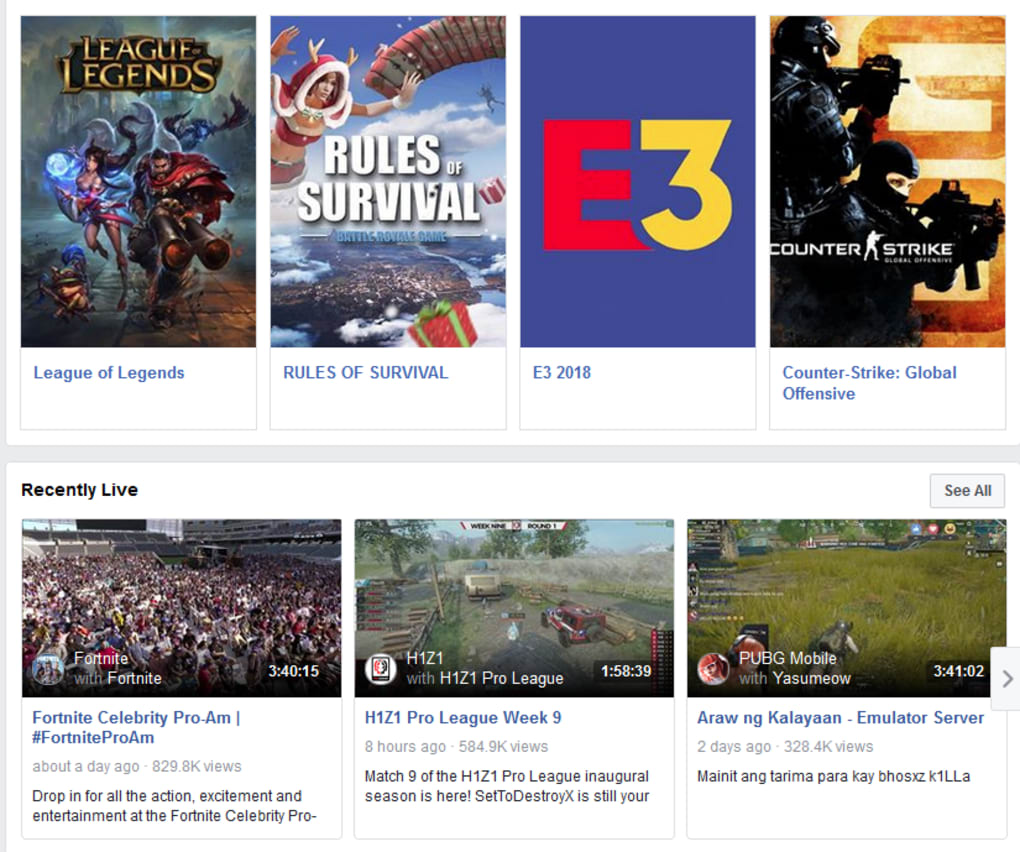
The catalog of streams on Facebook Gaming covers a wide spectrum of titles. Whether you’re chasing the latest battle royale showdown in Fortnite, analyzing strategic plays in League of Legends, or enjoying the fast‑paced action of Counter‑Strike: Global Offensive, you’ll find dedicated channels that curate content to your taste. In addition to individual game streams, Facebook Gaming also hosts large‑scale industry events such as E3, Gamescom, and the annual Facebook Gaming Summit, giving you front‑row access to announcements, panels, and exclusive interviews. The platform’s algorithmic recommendations adapt over time, surfacing new creators and emerging titles based on your watch history, likes, and interaction patterns.
From a technical perspective, Facebook Gaming leverages the same robust video infrastructure that powers the main Facebook feed, ensuring low latency, adaptive bitrate streaming, and secure delivery across the globe. The service is built to run on a variety of devices, including desktop browsers, dedicated mobile apps, and even smart TV platforms. This flexibility means you can start a stream on your laptop, continue watching on your phone during a commute, and finish on a living‑room TV without missing a beat. The platform also supports community features like polls, giveaways, and real‑time chat, which are moderated by both AI and human reviewers to keep the environment safe and inclusive.
Key Features & Installation Guide
- Live streaming of top titles: Fortnite, League of Legends, CS:GO, and more.
- Dedicated esports coverage: tournaments, qualifiers, and championship finals.
- Integrated Facebook profile: follow, chat, and subscribe without extra sign‑ups.
- Personalized recommendations powered by AI.
- Cross‑device support: Windows, macOS, Android, iOS, and smart TVs.
- Community tools: polls, giveaways, and real‑time chat moderation.
- Secure video delivery with adaptive bitrate for smooth playback.
- Free to download and use; optional in‑app purchases for badges and gifts.
- Regular updates that add new games, features, and performance improvements.
- Easy sharing to Facebook timeline, groups, and messenger.
Installing Facebook Gaming is straightforward on all major platforms. For desktop users, simply visit the official Facebook Gaming website, click the “Download for Windows” or “Download for macOS” button, and follow the on‑screen installer prompts. The installer verifies your system compatibility, extracts necessary files, and creates a shortcut on your desktop. Mobile users can locate the app in the Google Play Store or Apple App Store by searching “Facebook Gaming.” Tap “Install,” and the app will download automatically, handling all required permissions for notifications, storage, and microphone access. Once installed, launch the app, sign in with your existing Facebook credentials, and you’ll be greeted by a personalized home feed.
During the first launch, the app may request access to your camera and microphone if you plan to stream your own gameplay. These permissions are optional for viewers, but they enable a seamless transition from viewer to broadcaster. After logging in, you can customize your profile, subscribe to favorite streamers, and enable push notifications for when they go live. The onboarding wizard also offers a quick tutorial on navigating the UI, adjusting video quality, and participating in chat. Because the app is continuously updated, you’ll receive automatic patches that improve stability, introduce new features, and keep your streaming experience secure against emerging threats.
Compatibility, Pros & Cons, and Frequently Asked Questions
Facebook Gaming is built to run on a broad set of operating systems. On desktops, it supports Windows 10 and later, as well as macOS 10.13 (High Sierra) and newer. Mobile compatibility extends to Android 7.0 (Nougat) and iOS 13 or later, ensuring that the majority of modern smartphones and tablets can access the service. Smart TV compatibility includes platforms that support the Facebook Gaming app natively, such as Amazon Fire TV, Roku, and certain Android TV devices. The application is optimized for both 64‑bit and 32‑bit architectures, and it automatically selects the best video codec (H.264 or VP9) based on your hardware and network conditions.
Pros
- Free to download and use, with no mandatory subscription.
- Deep integration with Facebook’s social graph for effortless following.
- High‑quality, low‑latency streaming across multiple devices.
- Robust moderation tools keep chat safe and welcoming.
- Regular content updates and new feature rollouts.
Cons
- Requires a Facebook account, which some users may find intrusive.
- Occasional algorithmic recommendation glitches for niche games.
- Limited third‑party integrations compared with Twitch’s extensive API.
- In‑app purchases for cosmetic badges can feel “pay‑to‑shine.”
- Occasional ads between streams, though they are generally non‑intrusive.
FAQ – Frequently Asked Questions
Is Facebook Gaming completely free?
Yes, downloading and watching streams on Facebook Gaming is free. The platform offers optional in‑app purchases for badges, gifts, and subscription‑like features, but none of these are required to enjoy the core experience.
Can I stream my own gameplay on Facebook Gaming?
Absolutely. After granting camera and microphone permissions, you can go live directly from the app or via desktop broadcasting software such as OBS Studio. Facebook provides a built-in “Go Live” button for quick streaming.
What internet speed do I need for smooth streaming?
For standard 720p HD playback, a stable 5 Mbps connection is recommended. For 1080p Full HD, aim for at least 10 Mbps. Facebook Gaming automatically adjusts bitrate if your connection fluctuates, but higher speeds improve visual fidelity.
Does Facebook Gaming work on Linux?
There is no native Linux client at this time, but you can access the service through any modern web browser on Linux, enjoying the same features as the desktop app.
How does Facebook handle inappropriate content?
Facebook Gaming employs a combination of AI‑driven moderation, community reporting tools, and human reviewers. Violations of community standards result in warnings, temporary bans, or permanent removal, depending on severity.
Conclusion – Why You Should Download Facebook Gaming Today
In a market saturated with streaming platforms, Facebook Gaming distinguishes itself through seamless social integration, a diverse content library, and a commitment to free access. Whether you’re a casual viewer looking to catch up on the latest Fortnite highlights, a hardcore esports fan tracking the World Championship of League of Legends, or an aspiring streamer seeking a low‑barrier entry point, Facebook Gaming delivers a polished, secure, and community‑centric experience. The cross‑device compatibility ensures you never miss a moment, and regular updates keep the platform fresh and responsive to user feedback.
The minor drawbacks—such as the requirement for a Facebook account and occasional recommendation quirks—are outweighed by the benefits of a unified social identity, robust moderation, and a rapidly growing ecosystem of creators. For anyone interested in gaming entertainment without the hassle of multiple logins or subscription fees, downloading Facebook Gaming is a logical next step.
Ready to join the conversation? Click the download button below, install the app on your preferred device, and dive straight into the world of live gaming streams. Your next favorite streamer could be just a click away.
Pros: Free, integrated with Facebook, high‑quality streaming, extensive game coverage, strong moderation.
Cons: Requires Facebook account, limited third‑party tools, occasional ad placement.



.png)



